Module Import With Strategy
A comprehensive version management model has been introduced for Modules. This enhancement provides flexible version strategies, controlled release states, automatic update behavior, and independent export capabilities.
Version Strategy Support (Automatic Updates)
Previously, modules had to be imported using a strictly defined version (e.g., 1.0.6). When a new version was released, each consuming application needed to manually update its dependency to adopt the new version.
With the introduction of version strategies, applications can now define a version pattern instead of locking to a single version number. This allows automatic adoption of newly published versions that match the selected strategy.
Instead of selecting a specific version, users can define a pattern such as:
Latest.Latest.Latest1.Latest.Latest1.2.Latest
Whenever a new module version is released that satisfies the selected pattern, the consuming application automatically resolves to that newer version.
This approach provides:
- Reduced operational overhead
- Automatic dependency updates
- Flexible control over major version boundaries
- Centralized upgrade behavior
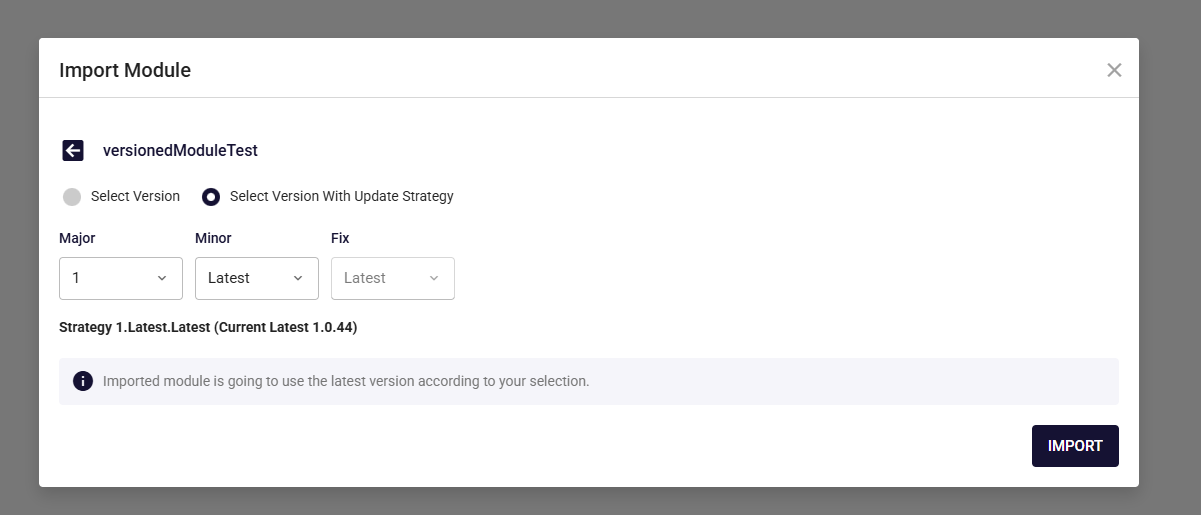
Version Resolution Behavior Across Screens
Version resolution behavior differs depending on the screen context.
Compiled Export
If a newer compatible version is available, it is automatically resolved and loaded. No manual refresh or cache reset is required.
Uncompiled Export & Preview
New compatible versions are not automatically reflected.
To load the latest version, the user must:
- Refresh the page, or
- Click the Reload Cache button
This separation ensures stability during preview and development flows while maintaining automatic updates for compiled outputs.
Unreleased Mode (Trial Releases)
To support controlled testing and staged rollouts, a new release mode called Unreleased Mode has been introduced.
When creating a new module release, users can activate the Activate Unreleased Mode option.
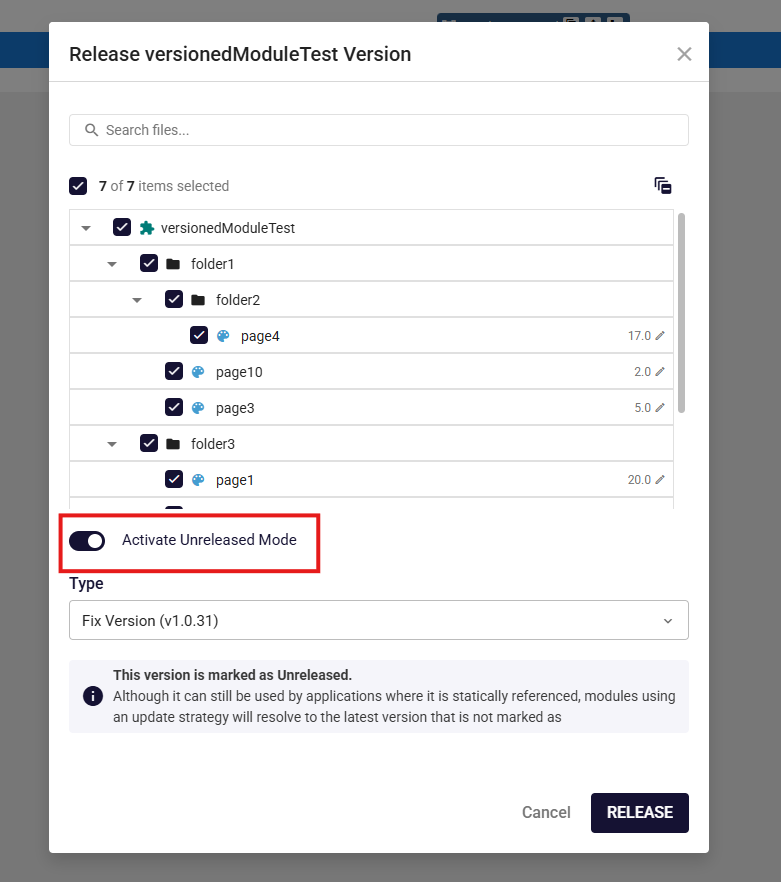
Versions published in this mode:
- Are available for testing and manual selection
- Do not propagate to applications using a latest-version strategy
- Remain isolated until explicitly promoted
Additionally, unreleased versions are clearly indicated in both the Import and Export screens. These versions appear with an Unreleased label along with an informational message explaining their status. This ensures users can easily distinguish trial versions from officially released ones and avoid unintended usage.
Release State Transitions
Module versions are no longer permanently tied to a single release state.
The following transitions are supported:
- An Unreleased version can be promoted to Released
- A Released version can be marked as Unreleased
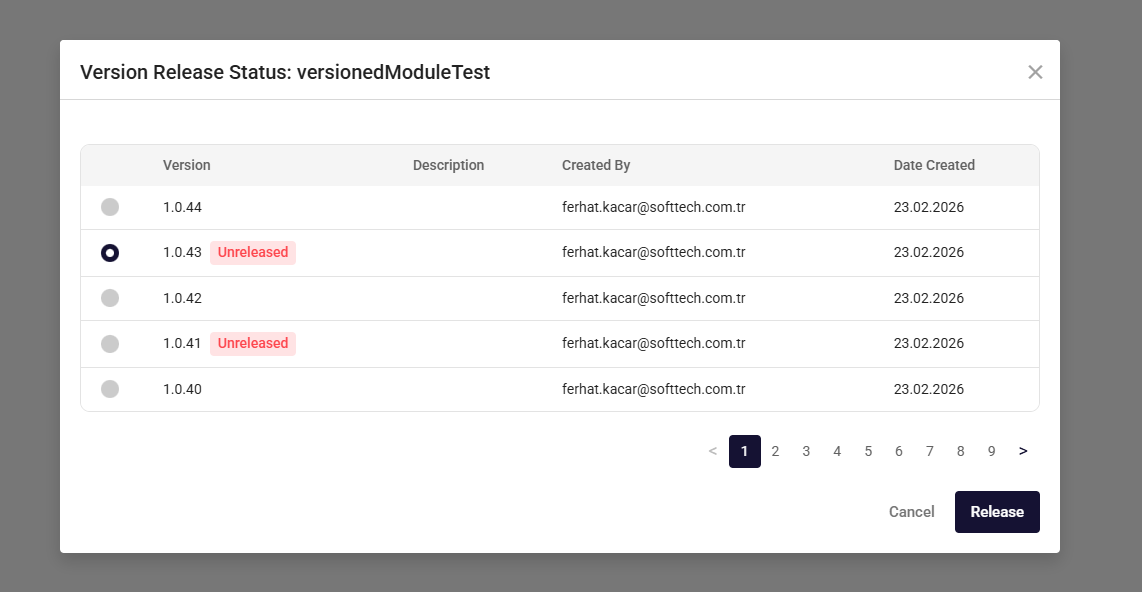
This flexibility enables:
- Controlled rollbacks
- Staged deployments
- Temporary isolation of unstable versions
- Safe activation after validation
This mechanism provides more granular control over module distribution across applications.
Independent Module Export
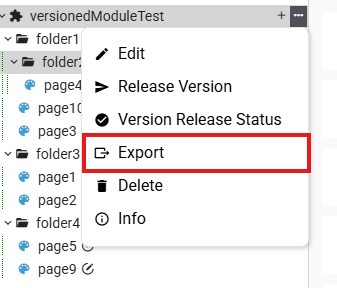
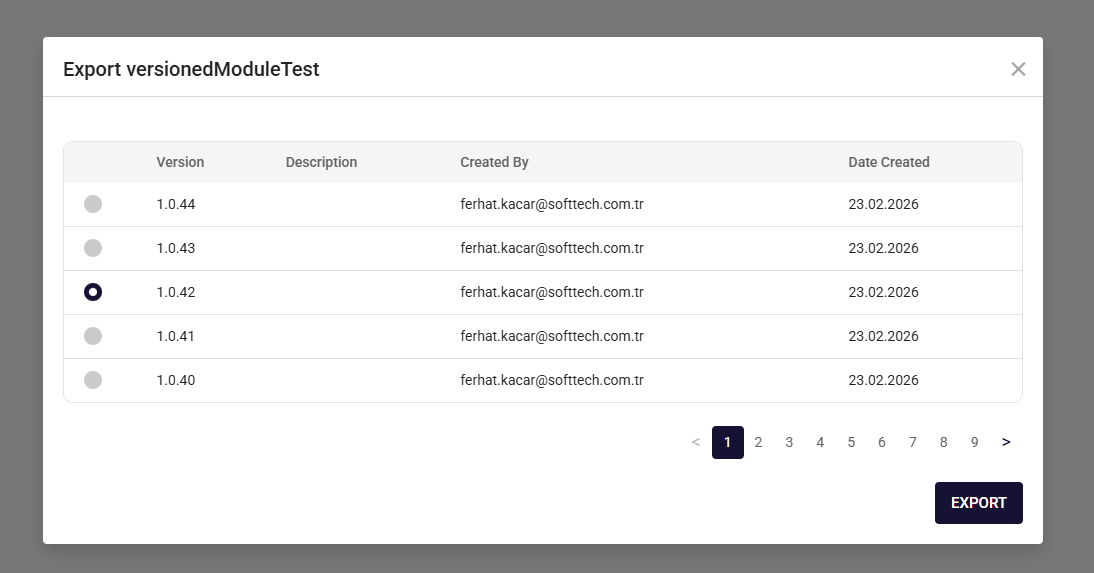
Modules can now be exported independently from the application in which they were created.
From within the source application, users can:
- Navigate to the Export screen
- Select the desired module version
- Export that version directly
This capability allows distributing a specific module version without exporting the entire application context. It improves modularity and enables targeted sharing across environments or projects.
 |  |