Two-Way Binding
With the two-way binding enhancement, component properties can be directly connected to store fields. When a user changes a bound field on the screen, the related store field is updated automatically. Likewise, when the store value changes, component properties that depend on that store field are re-evaluated, and the UI updates based on the latest store data.
This enhancement automates data flow between the UI and the store. With two-way binding, this synchronization is handled automatically. As a result, form fields, visibility controls, and dynamic properties can be built in a cleaner and more manageable way.
Usage Example
You can connect a component property to a store field by using bind(...).
bind(workflowStore.context.dataInstance.customerName)
You can also select it from the picker.
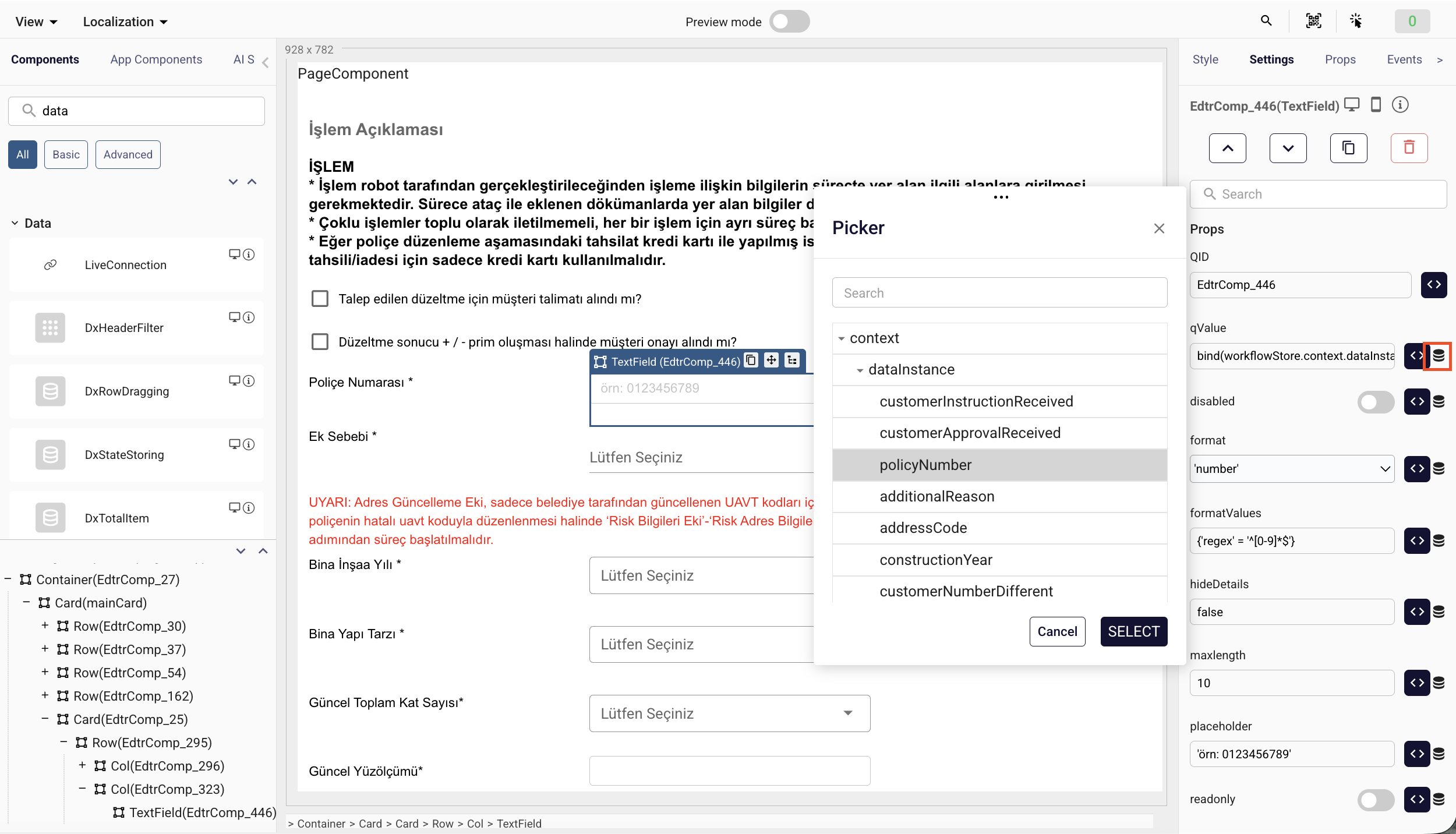
For store fields:
bind(store.storeName.customerName)
With this usage, when the component value changes, the customerName field is updated automatically. If the customerName value changes in the store, the component is also updated accordingly.
Example Scenario
A text input's qValue property can be bound as follows:
bind(workflowStore.context.dataInstance.firmNumber)
When the user changes the firm number on the screen, workflowStore.context.dataInstance.firmNumber automatically receives the new value. There is no need to write an extra event or perform a manual store.set.
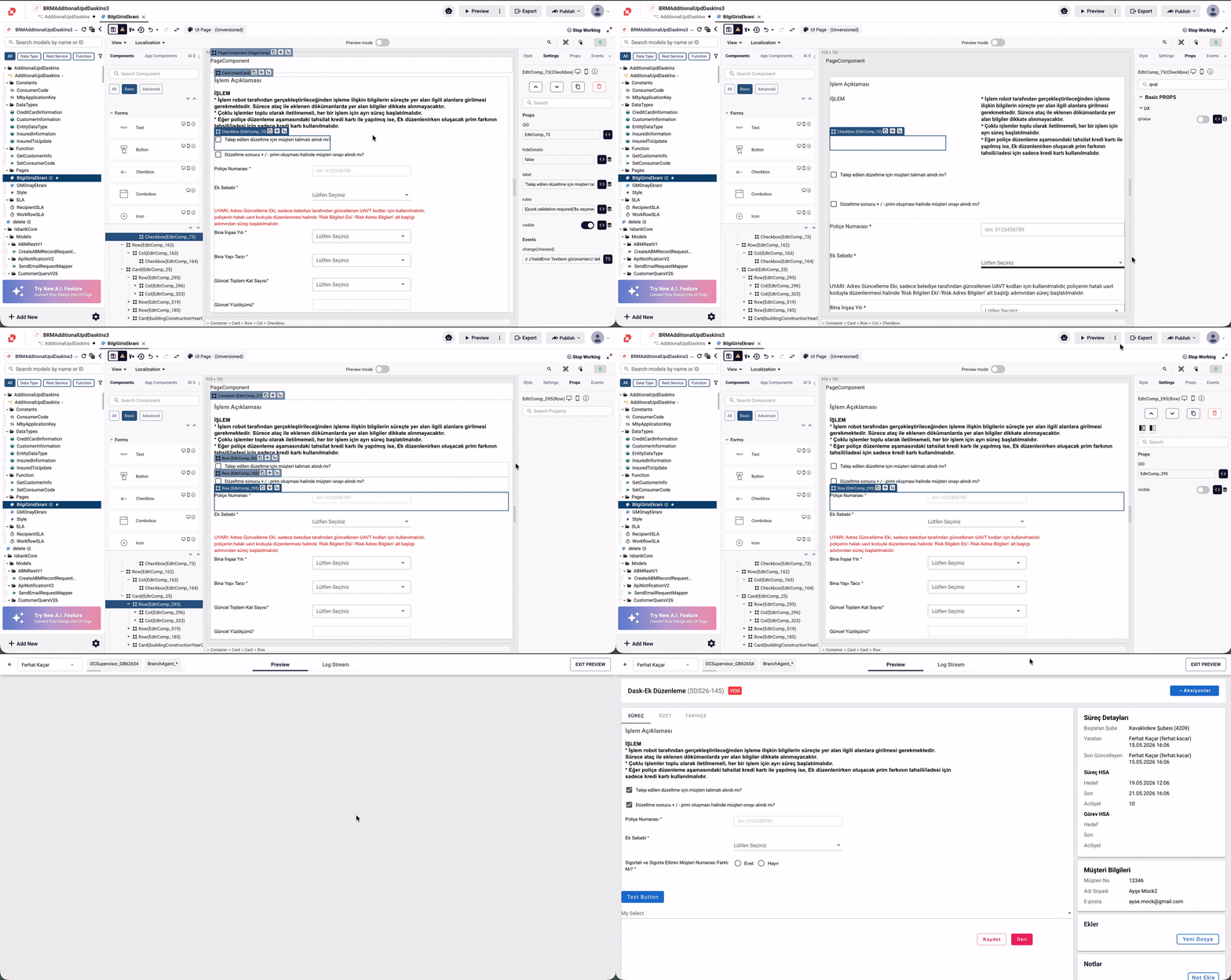
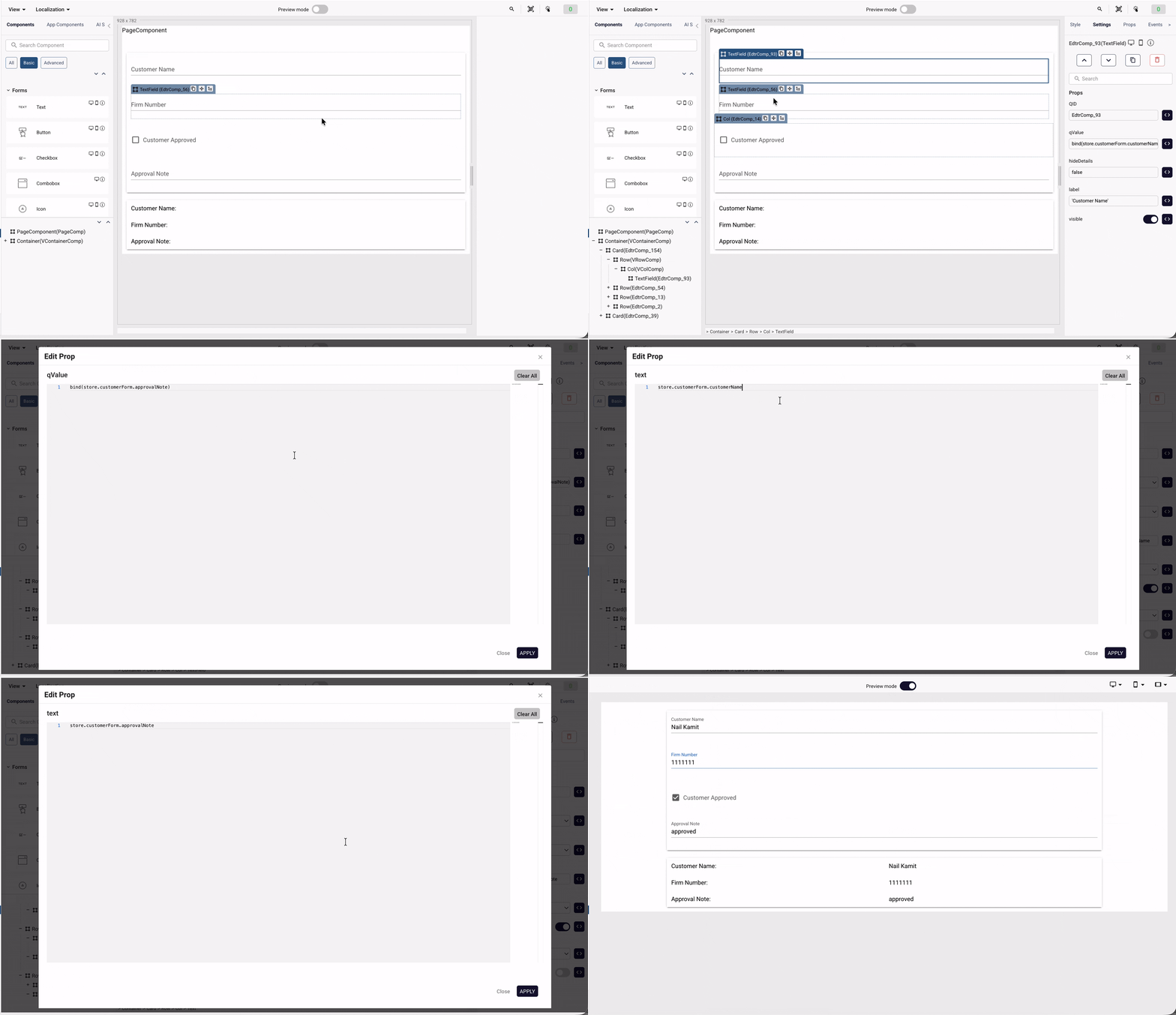
UI Updates Based on Store
Two-way binding is not only for updating input values, but also for controlling UI behavior based on store values. For example, a component's visible property can be evaluated from a store field:
workflowStore.context.dataInstance.customerApproved
When this value is true, the component becomes visible; when false, it is hidden. If this value changes through another bound component, the visible property is re-evaluated and the UI updates automatically.
Things to Consider
bind(...) should only be used with a store path. For calculations or comparisons, use the store value directly.
Correct usage:
bind(workflowStore.context.dataInstance.customerName)
For properties like visible, you can use the store value directly:
workflowStore.context.dataInstance.customerApproved
or:
workflowStore.context.dataInstance.customerApproved == true
When Should It Be Used?
Two-way binding should be used when values taken from the user need to be written to the store automatically.
For example, it is suitable for component properties that change through user interaction, such as input, checkbox, select, and combobox.
When Should It Not Be Used?
If you only need to perform a UI calculation, control visibility, or read a value, you do not need bind(...).
In this case, using the store field directly is enough.
workflowStore.context.dataInstance.customerName