Dataset Editor
The Dataset Editor allows users to define reusable key lists that can be referenced as types in other editors and accessed at runtime.
How to Create a New Dataset?
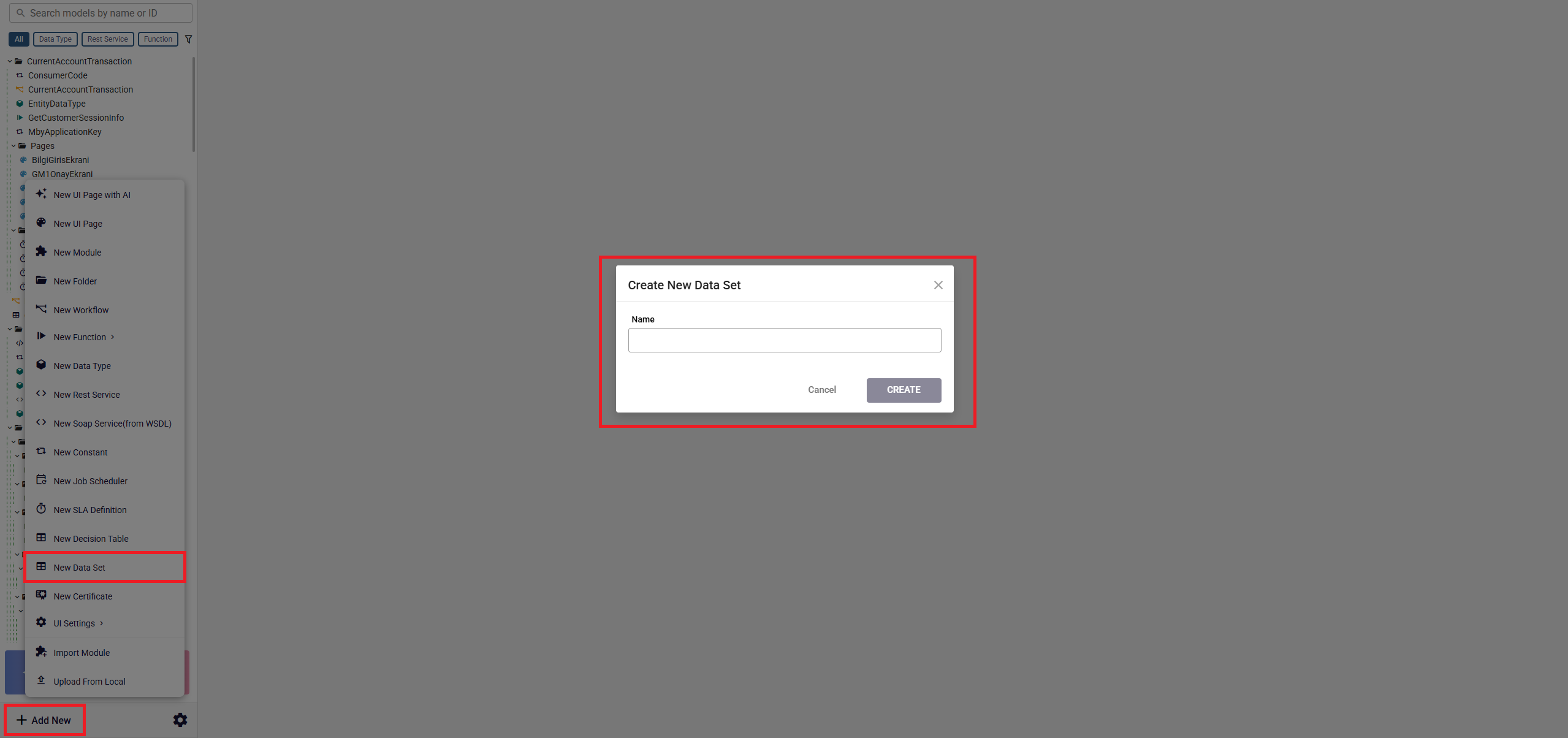
To create a new dataset, click the Add New button in the navigation menu and select the New Dataset option.
A new editor screen will be opened where you can define the dataset name and its keys.
Defining Keys
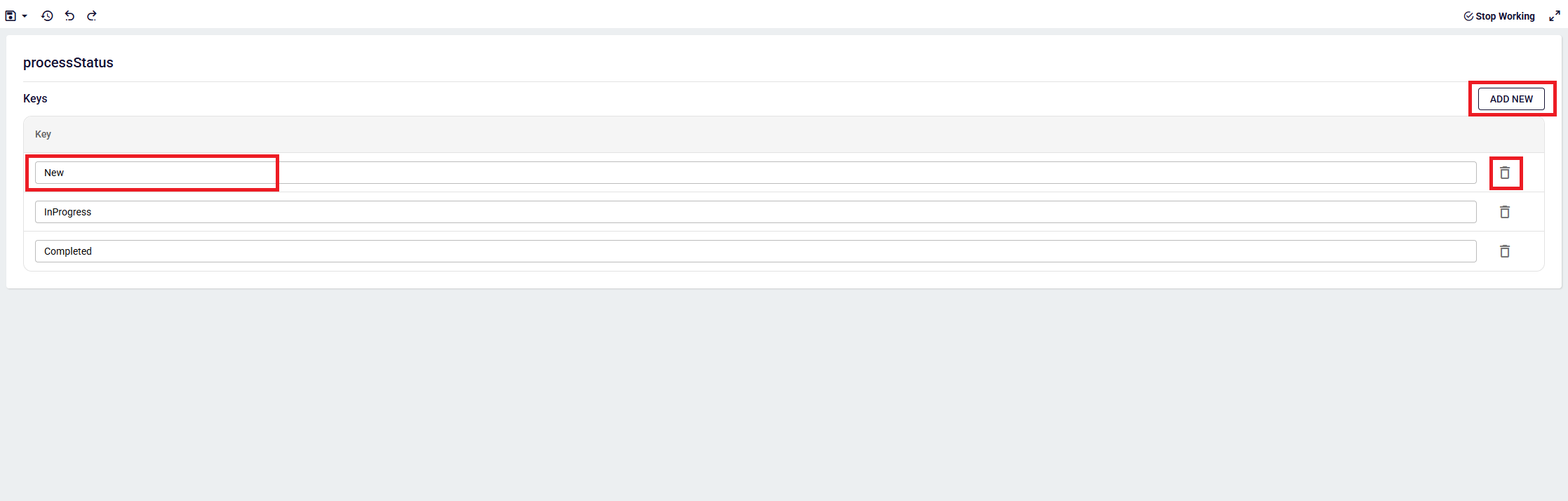
Each dataset consists of multiple Keys.
These keys behave like enum values and can be reused across different editors as a type reference.
You can add, edit, or delete keys using the provided controls in the editor.
Using Dataset as a Type in Other Editors
Once a dataset is created, it can be selected as a type in other editors.
For example in function editor, a field type can be defined as shown below:
let status: ProcessStatus;
This ensures that the field only accepts values defined in the selected dataset.
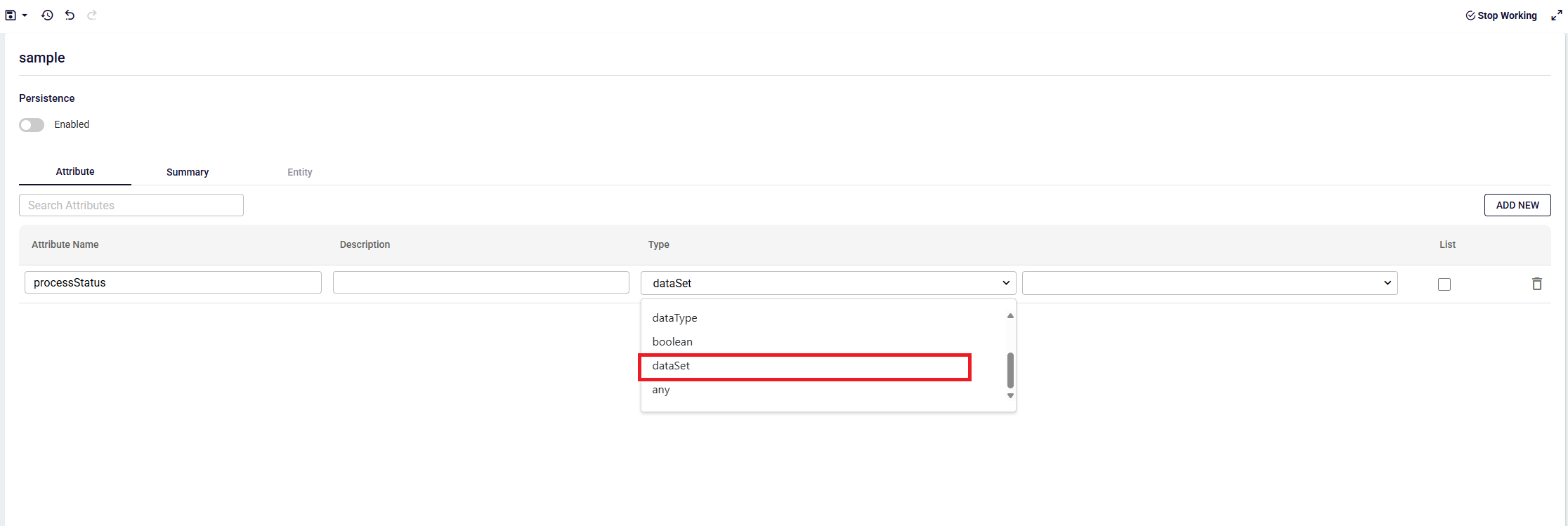
For example in datatype editor, an attribute can be defined using a dataset as shown below:
Runtime Access in Function Editor
Dataset definitions can also be accessed at runtime in the Function Editor.
By clicking the ADD button in the script box and selecting the Dataset option, then choosing a specific dataset model, the system automatically generates the following code based on the selected model
/*********  AUTO GENERATED LINE  *********/
const getprocessStatus = await flow.getDataSet<ProcessStatus>("<<dataSet:4oi13lra-7vc4-mbz2-nhqk-fyp0mj2uirq9>>");
/*********  AUTO GENERATED LINE  *********/
This method returns the full key list of the referenced dataset and allows it to be used in runtime logic.
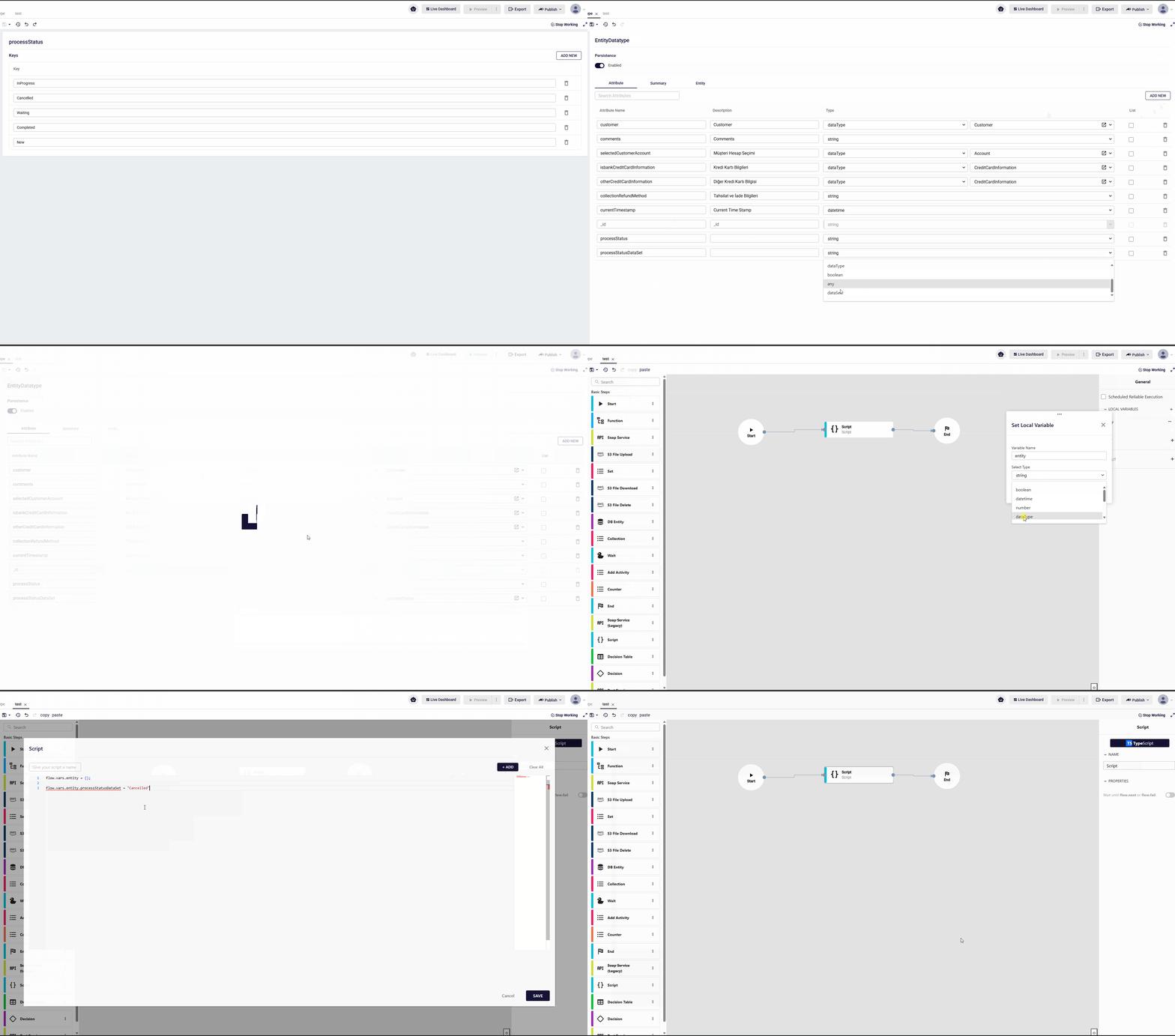
You can see an example of using the dataset together with the datatype and function editors below.