Collection
Collection box modifies a given collection by adding, removing, or transforming its elements.
Drag and drop the Collection box from the left panel onto the Canvas. When the Collection box is selected on the canvas, the relevant fields to be configured are displayed on the right panel. You can enter a name for your Collection box.
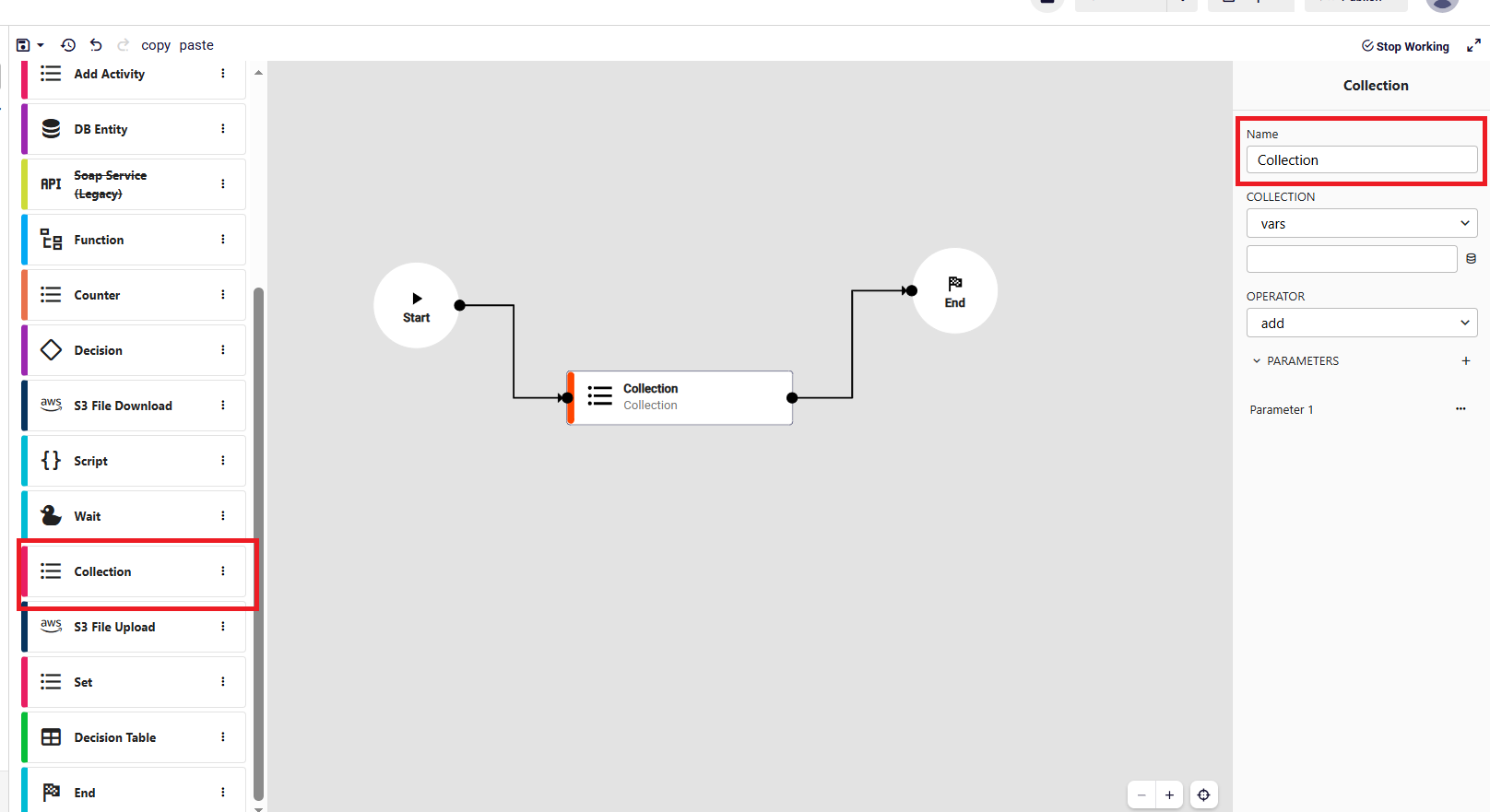
Select the collection, choose the operation from the operator list, and add the parameters by clicking the + icon in the Parameters section.
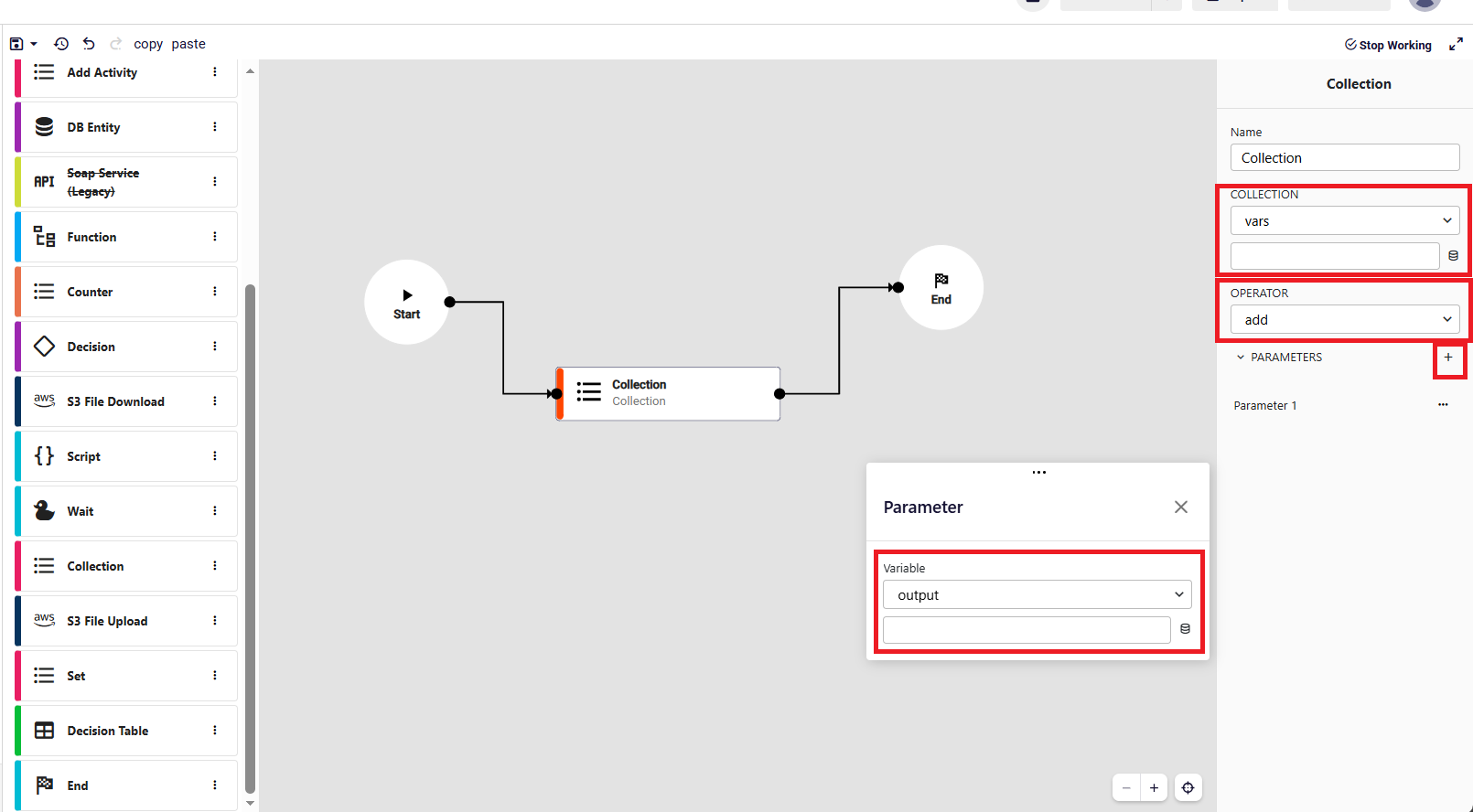
- Collection: Represents the target collection to operate on. The updated value is written back to the same field.
- Operation: Defines the action to be applied to the collection. Supported operations:
add: Adds items to the endaddFirst: Adds item(s) to the beginningremove: Removes matching item(s)removeFirst: Removes the first itemremoveLast: Removes the last itemclear: Empties the collectionreverse: Reverses the orderuniquify: Removes duplicate items
- Parameters: Input values used by the operation. Used mainly in operations like add, addFirst, and remove.