S3 File Download
Drag and drop the S3 File Download box from the left panel onto the Canvas. When the S3 File Download box is selected on the canvas, the relevant fields to be configured are displayed on the right panel. You can enter a name for your S3 File Download box.
You can configure mappings and execute S3 File Download operations dynamically during runtime.
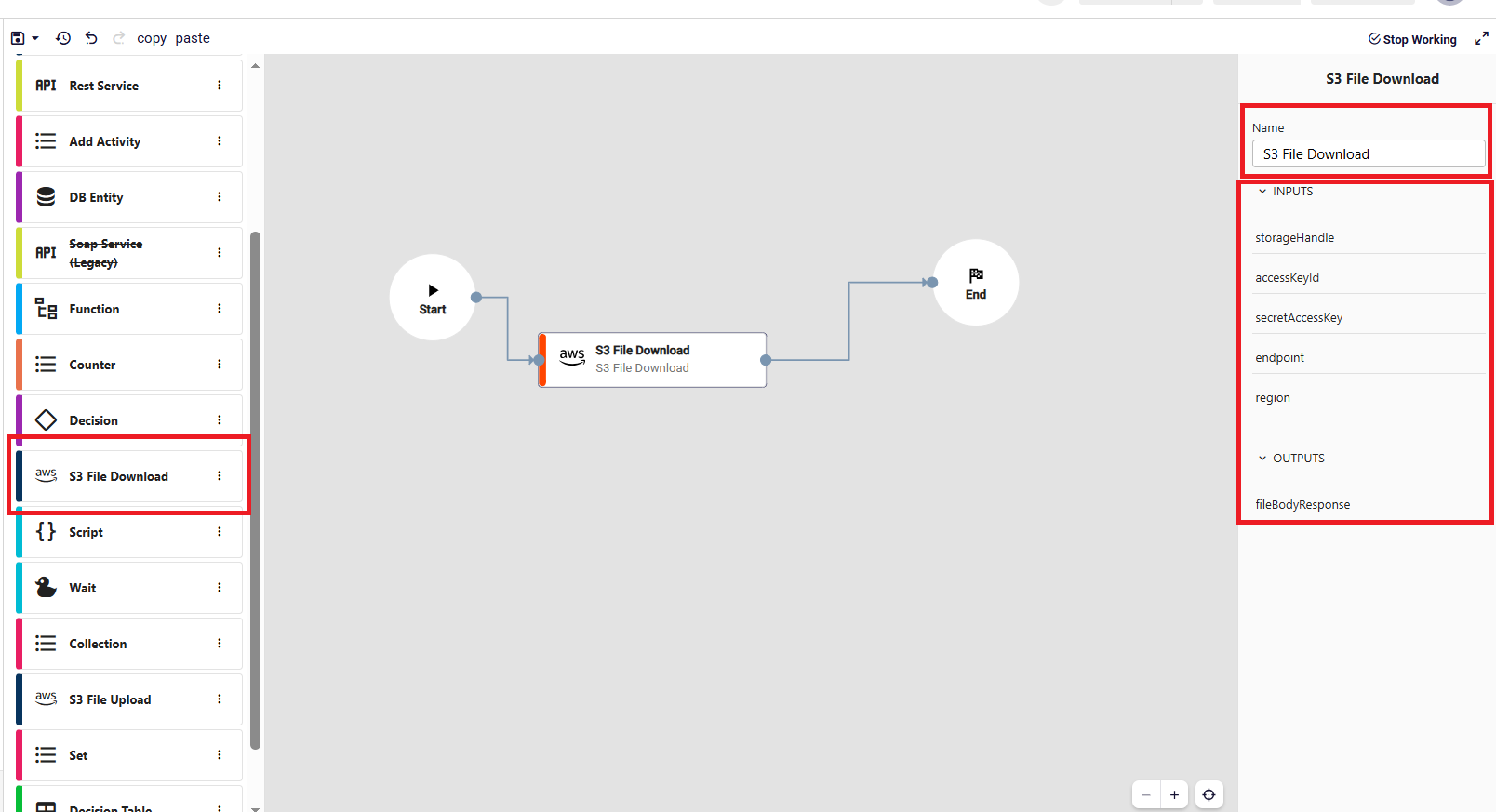
- storageHandle: Specifies the full path of the file to be downloaded, including the bucket name and object key (e.g., bucket-name/path/to/file).
- accessKeyId: The access key used to authenticate and authorize access to the S3 service.
- secretAccessKey: The secret key associated with the access key, used for secure authentication.
- endpoint: Defines the endpoint URL of the S3-compatible storage service.
- region: Specifies the region where the S3 bucket is hosted.
- fileBodyResponse: Contains the binary content of the downloaded file as a byte array.