Counter
Counter box generates a counter value and uses it in a workflow.
Drag and drop the Counter box from the left panel onto the Canvas. When the Counter box is selected on the canvas, the relevant fields to be configured are displayed on the right panel. You can enter a name for your Counter box.
You can configure mappings and execute Counter operations dynamically during runtime.
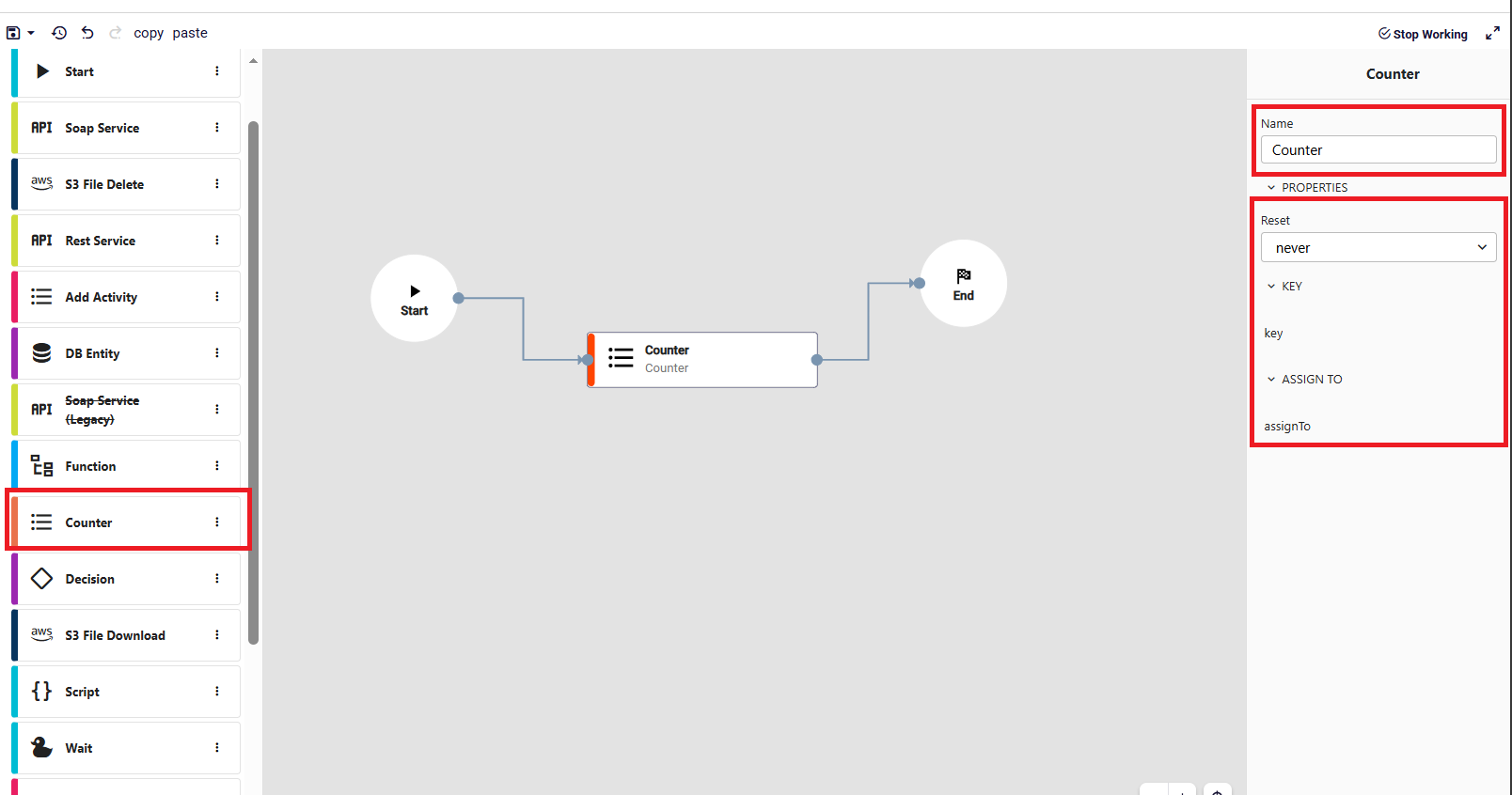
- key: A unique identifier used to separate counters. Each different key maintains its own independent counter. If not provided, the step throws an error.
- Reset: Defines when the counter should reset.
daily: resets every daymonthly: resets every monthyearly: resets every yearnever: counter keeps incrementing indefinitely
- assignTo: Specifies where the generated counter value will be stored in the workflow. The value is assigned to the given path.