Step 7 — Workflow
Its Place in Our Scenario
| Element | Value |
|---|---|
| Workflow name | makerCheckerFlow |
| Workflow root privilege | view_record |
| MakerTask swimlane | maker_lane |
| RBAC on the Maker role | makerCheckerFlow → Create + Read |
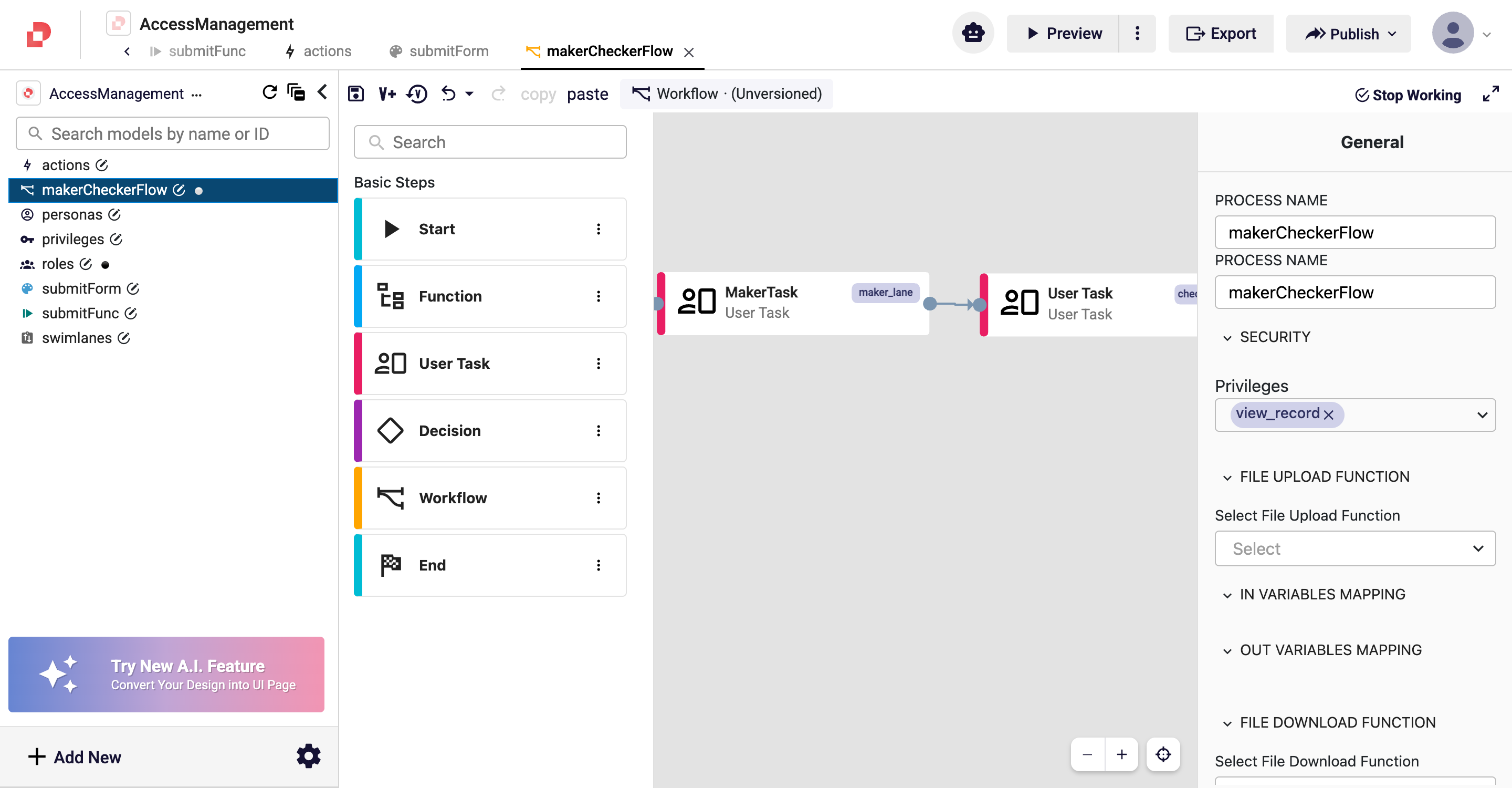
1. Workflow → Security → Privileges
An AND check runs at the workflow root level: the user must hold all selected privileges, otherwise the process cannot be started or viewed.
- Click an empty area of the canvas → the right panel switches to the General tab.
- From SECURITY → Privileges, choose
view_record.
2. User Task → Assigned To → Swimlane
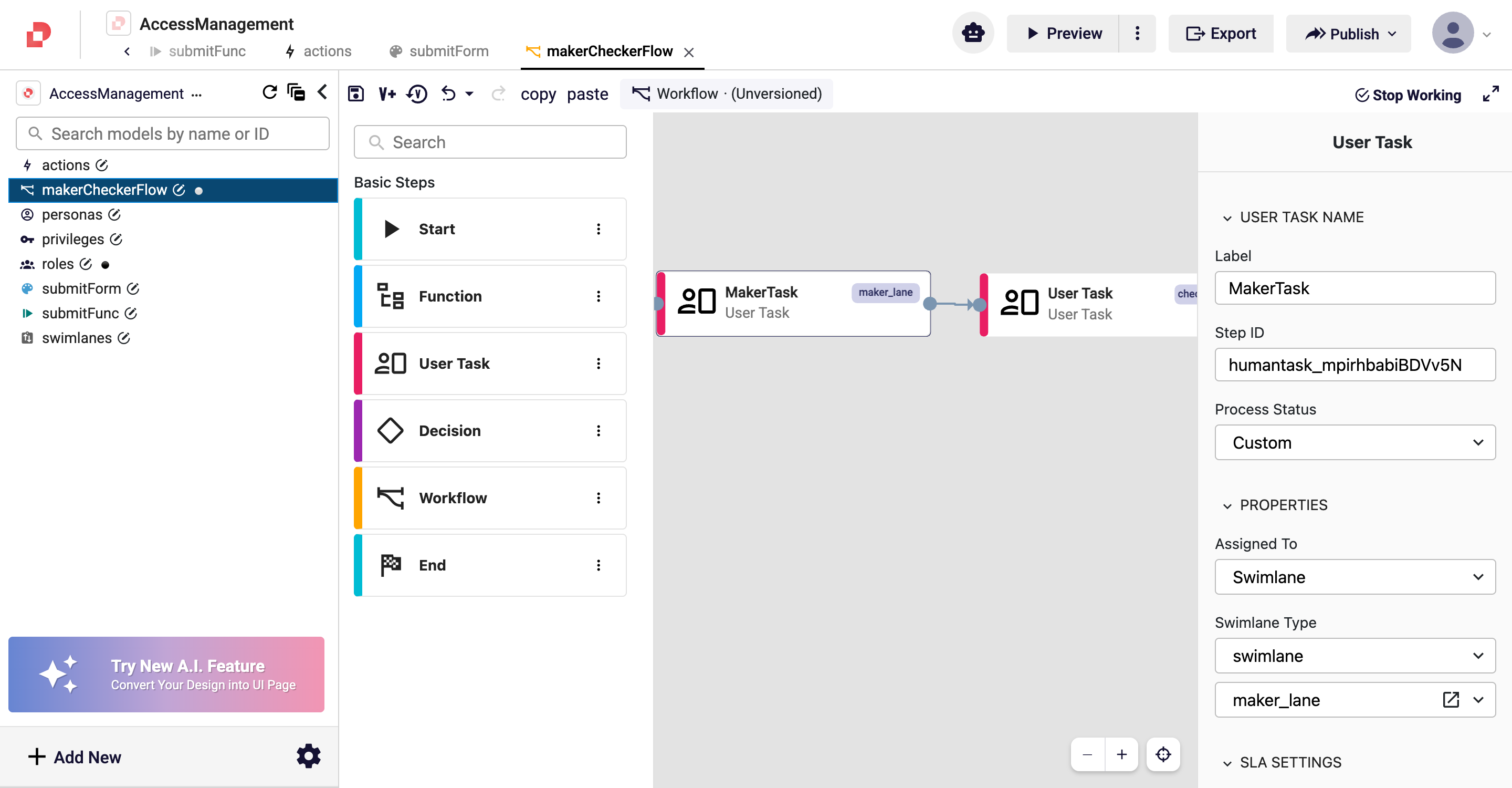
The swimlane decides who picks up the User Task. Users carrying the Maker role
see MakerTask in the maker_lane pool.
- Click MakerTask on the canvas → the right panel switches to the User Task tab.
- Set PROPERTIES → Assigned To =
Swimlane, Swimlane Type =swimlane, and choosemaker_lanefrom the dropdown below.
3. Role → RBAC Set
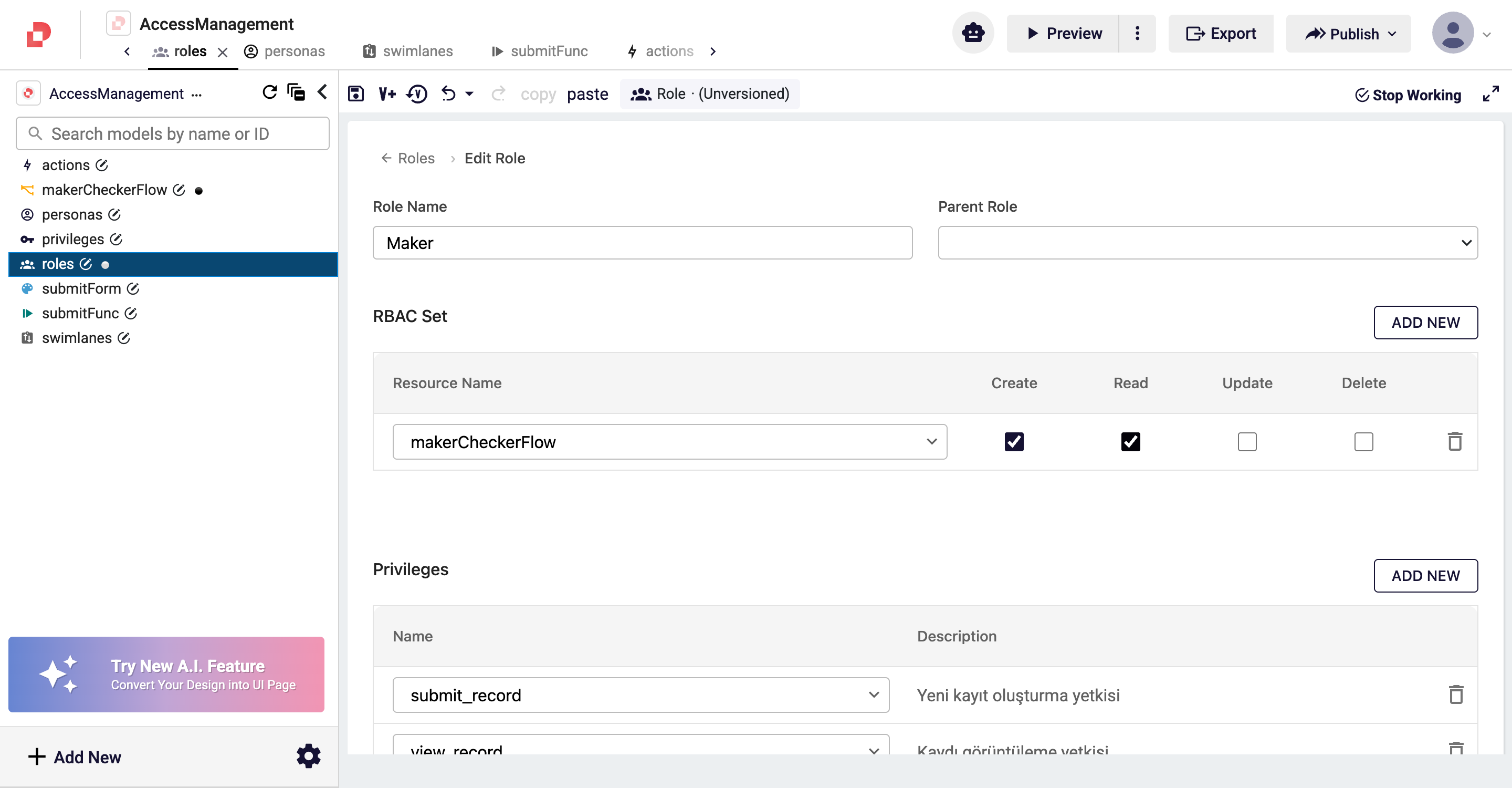
RBAC is resource-based access control: it says which CRUD operations a role may perform on a given model (e.g. a workflow). To start the workflow, the user needs Create on it.
- From the left panel, open roles → open Maker's detail with its pencil icon.
- In the RBAC Set section, press ADD NEW → from the Resource Name
dropdown choose
makerCheckerFlow. - Tick the Create and Read boxes.
- DONE → back to the list → save with the disk icon in the toolbar.
Add RBAC for the same resource to the Checker role too — the checker does not start the process but needs at least Read to pick up its own User Task. Depending on the flow, Update may also be needed to advance the process (e.g. approving).
How RBAC Relates to Workflow Start
When a user tries to start makerCheckerFlow, Access Management checks, in order:
- RBAC — Create: does the user's role have Create on the
makerCheckerFlowresource? If not, the request is rejected here — the workflow root privilege check is never reached. - Workflow root privileges: does the user hold all privileges in the
workflow's SECURITY → Privileges list? (AND) In our scenario that is
view_record— the Maker has it, so this passes. - The process starts; the flow lands on Start → MakerTask.
| Layer | Question | Semantics | Value in this example |
|---|---|---|---|
| RBAC | Can I start/read this resource? | C/R/U/D flags | Maker → makerCheckerFlow: C + R |
| Workflow root privilege | Do I carry this process's permission requirements? | AND | view_record |
RBAC answers "what may I do to this resource" (resource-oriented). Privilege answers "which permission label do I carry" (label-oriented). They are different questions, used together in practice — RBAC opens access to the resource, privileges authorize the steps within the flow (form, button, root).
So Far in Our Scenario
| Done | Step |
|---|---|
| ✅ 3 privileges | 1 |
✅ 2 roles (Maker, Checker) — Maker has makerCheckerFlow RBAC (C+R) | 2 + 7 |
| ✅ 2 personas (MakerUser, CheckerUser) | 3 |
| ✅ 2 swimlanes (maker_lane, checker_lane) | 4 |
| ✅ 1 function (submitFunc) + 1 action (submit) | 5 |
| ✅ 1 UI form (submitForm) + form privilege (view_record) | 6 |
| ✅ 1 workflow (makerCheckerFlow) — root privilege view_record, MakerTask: maker_lane + submitForm + submit | 7 |
The Whole Flow — Summary
| Question | Answered by | Semantics |
|---|---|---|
| Which roles does the logged-in user carry? | persona.roles | — |
| Which privileges does a role have? | role.privileges | — |
| Which resource can a role CRUD? | role.rbacSet | C/R/U/D |
| Can I start the process? | role.rbacSet[workflow].create | RBAC |
| Can I see the process? | workflow.privileges (root) | AND |
| Can I pick up the task from the pool? | userTask.swimlane → swimlane.roles | role match |
| Can I open the form? | qjson.security.privileges | AND |
| Can I press the button? | action.privileges | AND |
Each layer answers a different question; by defining the right layer in the right place you gain both security and ease of administration.
Tutorial complete.