Constant Editor
A Constant Model stores environment-specific configuration values (e.g., service URLs, feature flags, IDs) under a single named constant. At runtime, the platform resolves the correct value based on the active environment (int/uat/prod, etc.)
Editor Layout
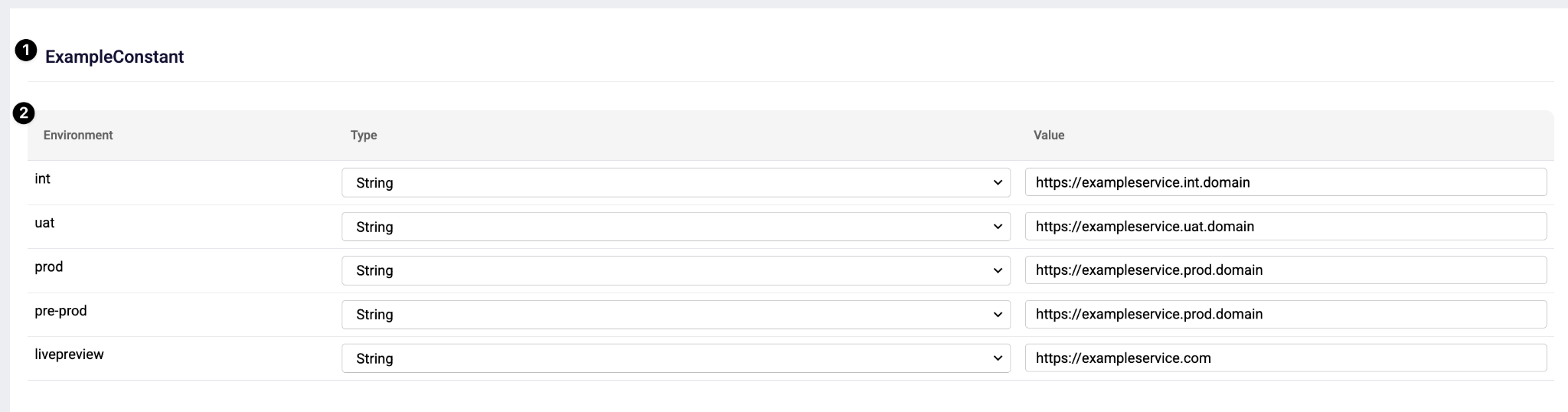
Constant Name (1) : The header is the unique identifier of the constant.
Environment Value Table (2) : The table defines the constant's value per environment.
| Column | Description |
|---|---|
| Environment | The target environment (e.g., int, uat, prod, pre-prod, livepreview). |
| Type | The data type of the constant. You can select either "String" or "Docker Environment Variable". String — Allows the user to provide a specific static value. Docker Environment Variable — Retrieves the value from a specified environment variable name at runtime. |
| Value | The actual value for that environment (e.g., a URL). |
Usage of Constants
Constants have several use cases in plateau studio workflow
1 - In Input/Output Mappings
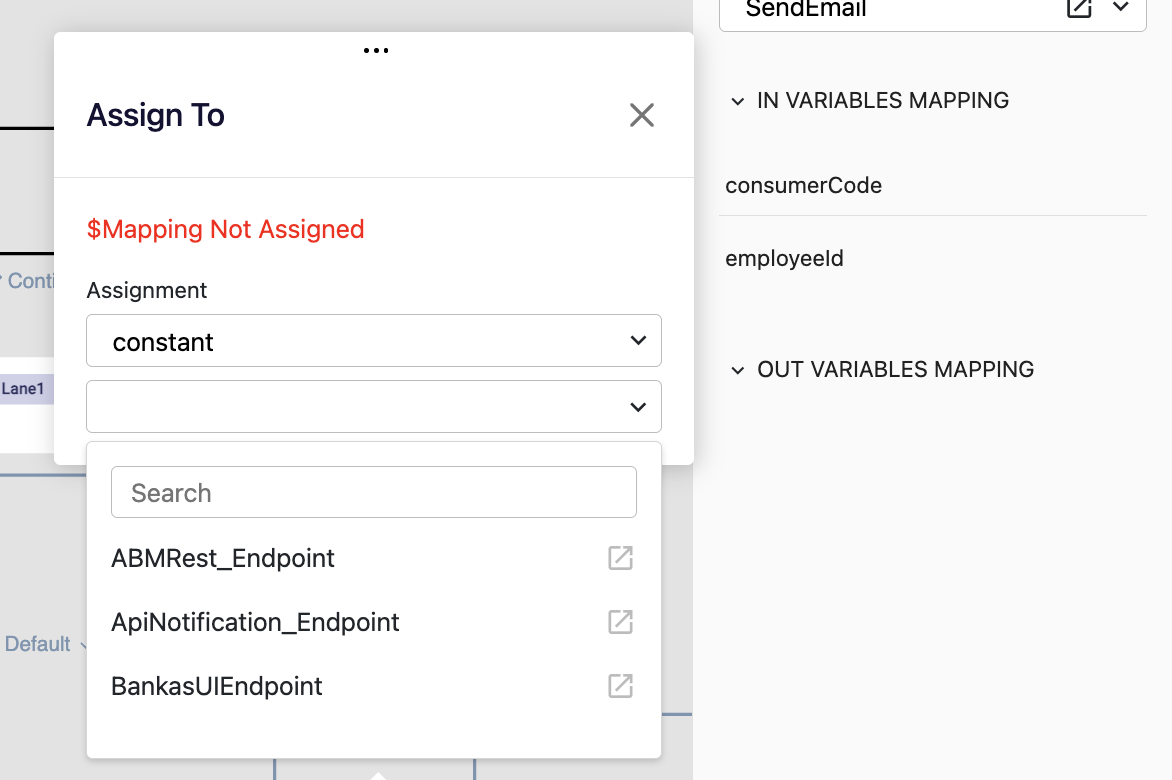
In the function input/output assignment dialogs, users can select constant as type and map a constant to a target variable, allowing the variable's value to be evaluated dynamically at runtime based on the environment.
2 - In other editors
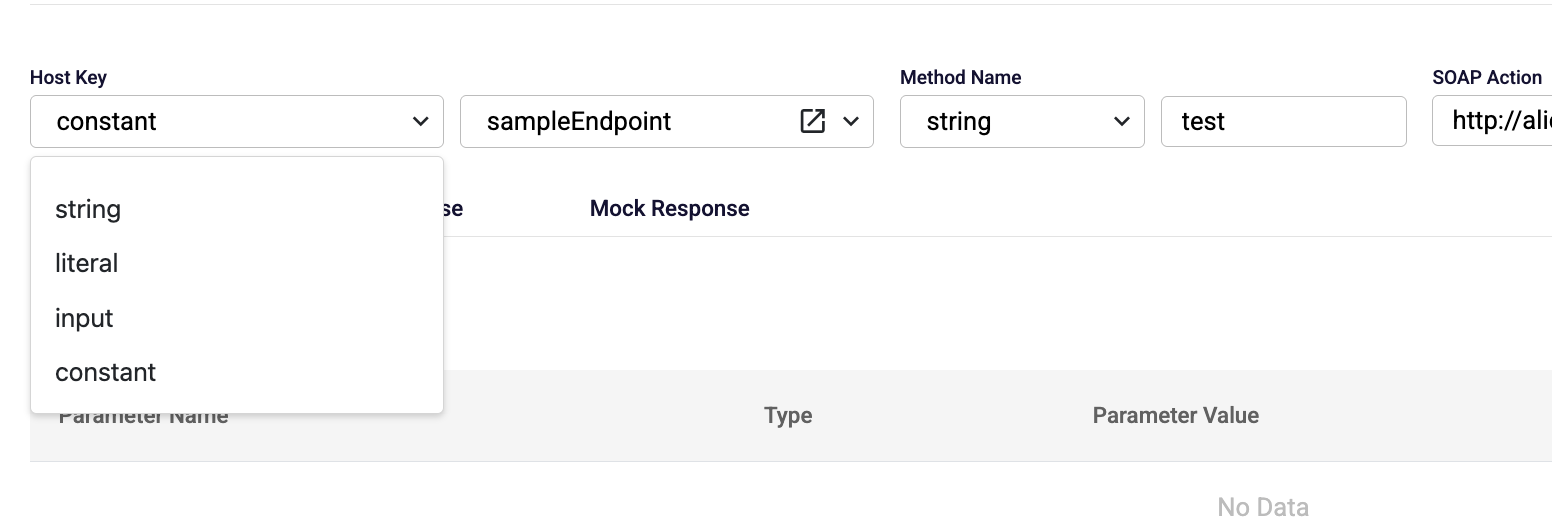
In some editors, constant can be used as type of a value. Users can select constant as type and map a constant to a target variable , allowing the variable's value to be evaluated dynamically at runtime based on the environment.
3 - In Script Step at Workflow Function Editor

In the script code editor, constant models can be referenced using the "Add" button. Clicking the "Add" button opens a dialog that allows the user to select a constant model. Once a constant model is selected, a boilerplate code snippet referencing the selected constant model is automatically inserted into the code section.
4 - In events at UI Editor
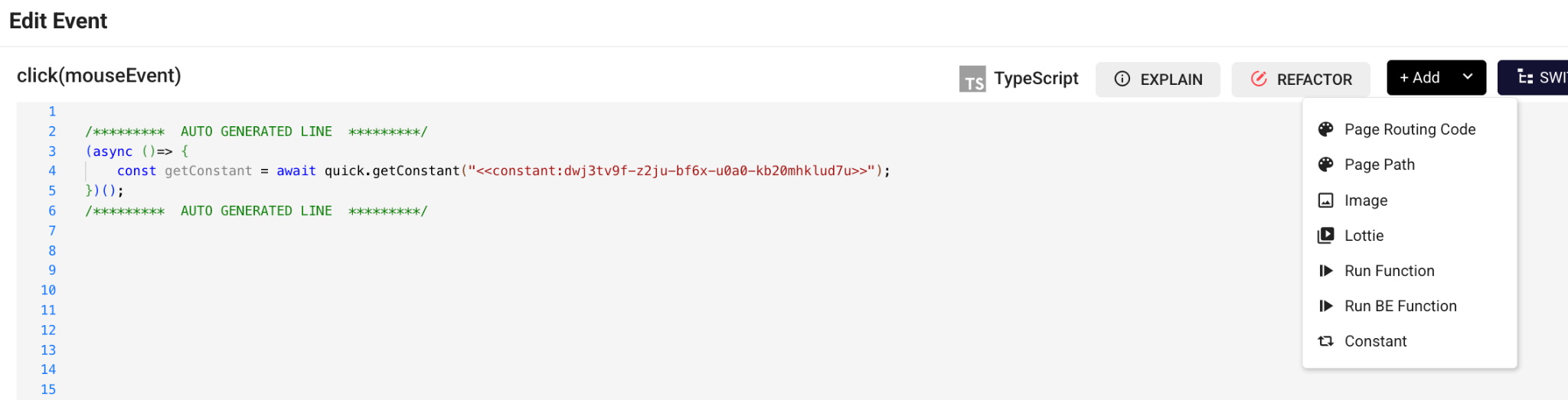
In event scripts in the UI editor, constant models can be referenced using the "Add" button. Clicking the "Add" button opens a dialog that allows the user to select a constant model. Once a constant model is selected, a boilerplate code snippet referencing the selected constant model is automatically inserted into the code section.