Swimlane Editor
The Swimlane Editor is where you define swimlanes — the role-based pools that decide who may pick up a workflow User Task. A swimlane is created from the left panel with + Add New → New Swimlane.
What Is a Swimlane?
- A swimlane decides which role(s) may pick up a task (User Task) in a workflow.
- It can hold one or several roles. Users with those role(s) see the swimlane's tasks in a shared pool.
- In the workflow editor, each User Task is assigned either to a swimlane or directly to a user.
What Is It For?
- To assign a task to a group of roles rather than a specific person, so the workflow does not change when staff change.
- To answer "who can pick up this task?" with role-based pool logic.
Editor Layout
Unlike the other Access Management editors, the Swimlane Editor has no detail page — every swimlane is filled in inline as a row in the table.
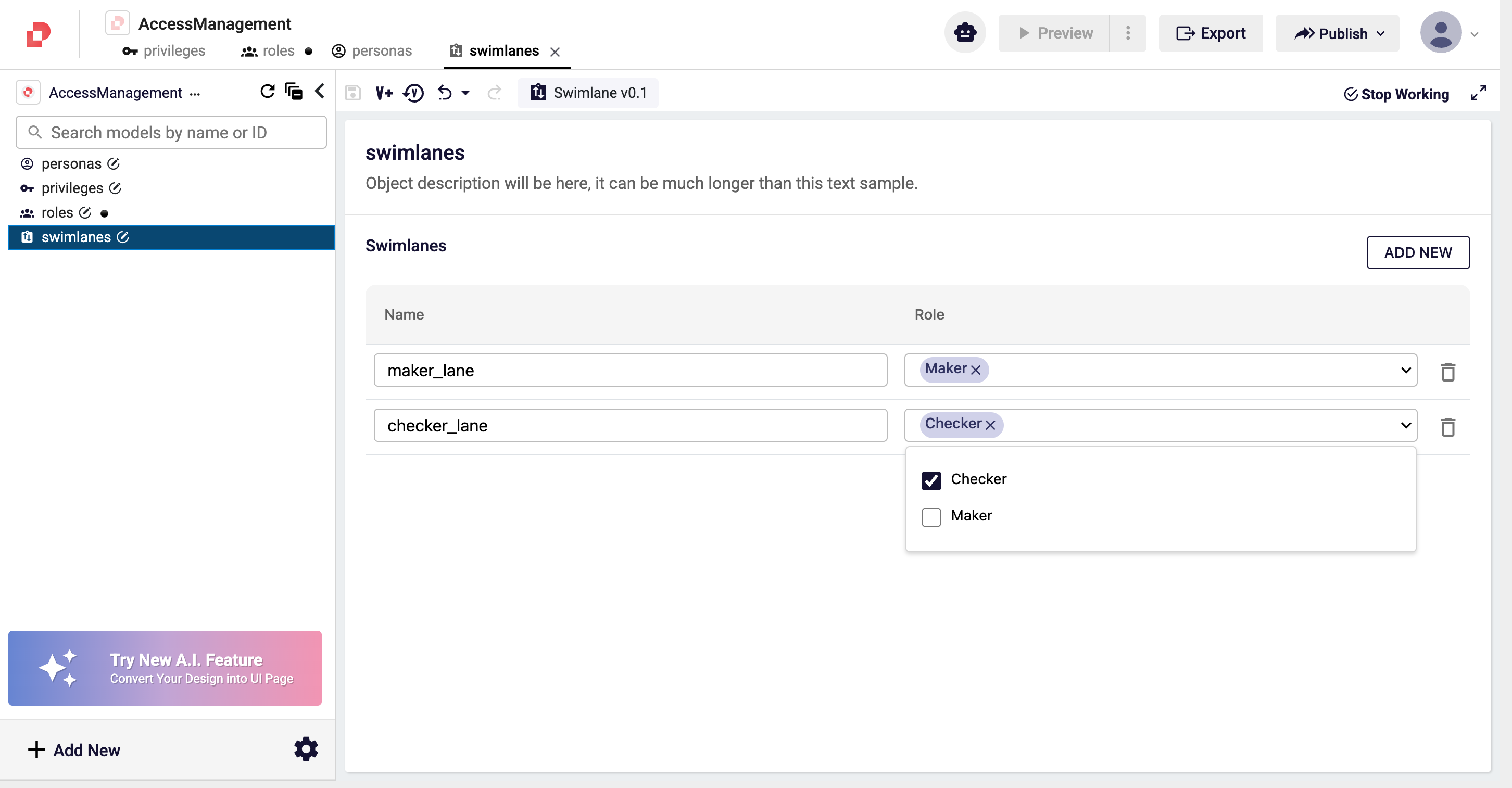
| Field | Description |
|---|---|
| Name | The unique name of the swimlane (e.g. checker_lane). |
| Role | The role(s) allowed to pick up this swimlane's tasks. The dropdown lists every role and allows multiple selection. |
| ADD NEW | Adds a new swimlane row. |
info
A swimlane knows roles, not users. At login the system matches the user's persona roles against the swimlane's role list; on a match, the user sees that swimlane's tasks.