Role Editor
The Role Editor is where you define roles — permission packages built from privileges and resource-based (RBAC) permissions. A role is created from the left panel with + Add New → New Role. In the list view, ADD NEW opens the role detail page.
What Is a Role?
- A role is the permission package owned by a kind of participant (e.g. maker, checker).
- It bundles privileges (individual permissions) with RBAC entries (resource-based CRUD permissions).
- A user never receives privileges directly — they are assigned a role, and the role's privileges apply automatically.
What Is It For?
- To give the same combination of permissions to many users without repeating it.
- To answer "can this kind of user do this?" at one layer.
- To inherit shared permissions from a parent role, defined once.
Editor Layout
The role detail page is organized into the sections below.
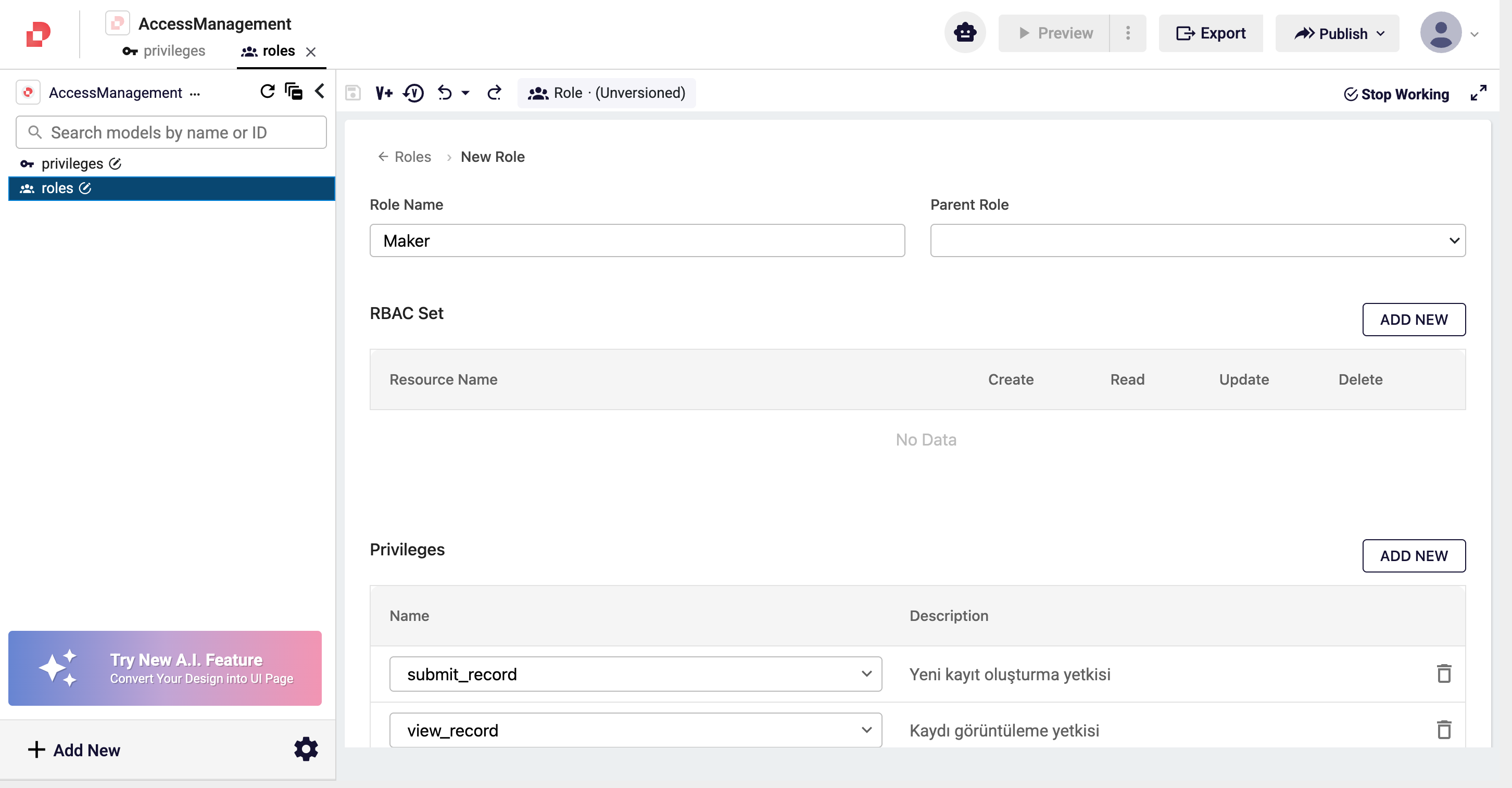
| Field | Description |
|---|---|
| Role Name | The unique name of the role (e.g. Maker). |
| Parent Role | An optional role to inherit from. The child inherits the parent's privileges and RBAC and may add its own. |
| RBAC Set | Resource-based CRUD permissions — see below. |
| Privileges | The privileges granted by this role. Use ADD NEW and pick from the Select Privilege dropdown (populated from the saved privilege collections). |
RBAC Set
Each RBAC entry grants CRUD permissions on a single resource.
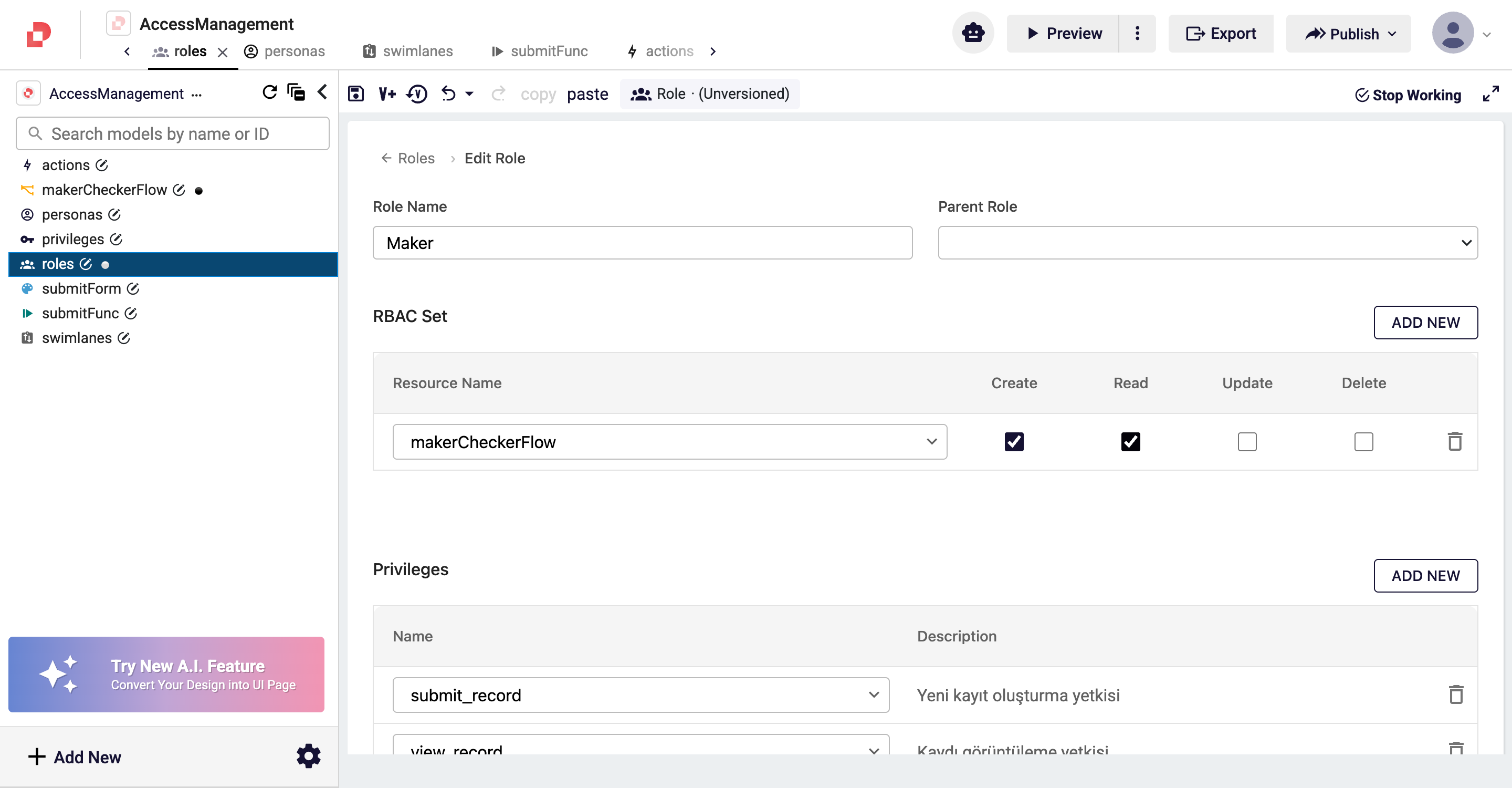
| Field | Description |
|---|---|
| Resource Name | The resource (e.g. a workflow) the entry applies to. |
| Create / Read / Update / Delete | The operations the role may perform on that resource. |
info
A privilege is a label the user carries ("what permission do I hold?"); RBAC is resource-oriented ("what may I do to this resource?"). They are commonly used together.